Shift Management
Ward tracks shifts, staff assignments, and handoffs between shifts.
Shift Tab
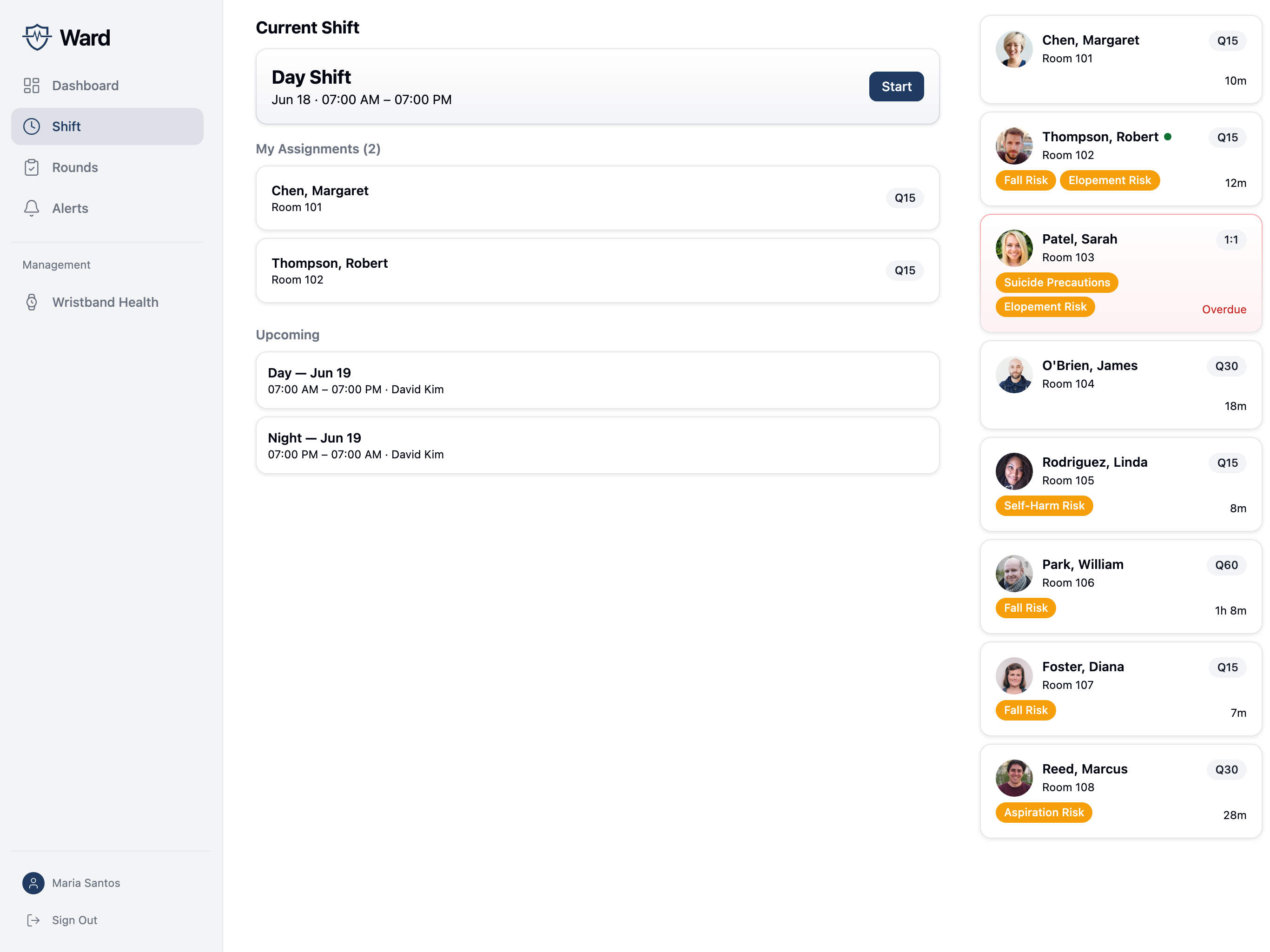
Navigate to the Shift tab to see:
- Current shift information
- Your patient assignments
- Handoff notes from the previous shift
- Shift management actions (Charge Nurse+)
Starting Your Shift
Before documenting observations, you must start your shift:
- Navigate to Shift tab and tap Start Shift
- Review your patient assignments
- Review and acknowledge any flagged handoff notes from the previous shift (all flagged notes must be acknowledged before proceeding)
- Review active alerts on the unit
- Tap Accept & Start Shift
Starting your shift acknowledges that you've reviewed handoff information and are aware of outstanding concerns.
Patient Assignments
Your assignments show:
- Patient name and room
- Observation level
- Assignment type:
- Primary - Standard assignment
- 1:1 - Continuous observation
- Relief - Covering for another staff member
Tap a patient to go directly to their detail screen.
Handoff Notes
Handoff notes from the previous shift may be:
- Flagged - Requires acknowledgment
- Unflagged - Informational only
Flagged items remain visible until acknowledged.
Viewing Handoff Notes
Notes include:
- Patient name
- Note content
- Who wrote it
- Whether it's flagged
- Resolution status
Acknowledging Flagged Notes
- Tap the flagged note
- Review the content
- Tap Acknowledge
Acknowledged notes are marked as resolved but remain in history.
For Charge Nurses
Charge nurses have additional capabilities:
Creating a Shift
- Tap New Shift
- Select shift type:
- Day (7:00–19:00)
- Evening (15:00–23:00)
- Night (19:00–7:00)
- Choose the date
- Select a charge nurse
- Proceed to assign patients to staff
:::info Coverage gaps Ward warns if any patients have no staff assigned before the shift is saved. :::
Ending a Shift
- Tap End Shift
- Enter handoff notes for each assigned patient (optional)
- Flag important items as concerns for the next shift
- Review the auto-generated shift summary:
- Observations completed vs. expected
- On-time observation count and on-time rate
- Alerts acknowledged vs. total
- Staff and patient counts
- Tap Complete Shift
Regular staff see Submit Notes (handoff notes only). Charge nurses see Complete Shift (saves notes and officially ends the shift with a final summary).
Handoff Workflow
At shift change:
- Outgoing shift documents handoff notes
- Incoming shift reviews notes during shift start
- Flagged items require acknowledgment
- Notes persist until resolved
Shift Summary
Charge nurses can generate a shift summary showing:
- Observations completed vs. expected
- On-time observation count and on-time rate
- Alerts acknowledged vs. total
- Staff and patient counts