Environment of Care Rounds
Environment of Care (EOC) rounds help maintain facility safety through regular inspections.
Overview
EOC rounds involve:
- Following a route of inspection locations
- Scanning QR codes at each location
- Completing checklists
- Documenting issues
- Generating work orders for problems found
Starting a Round
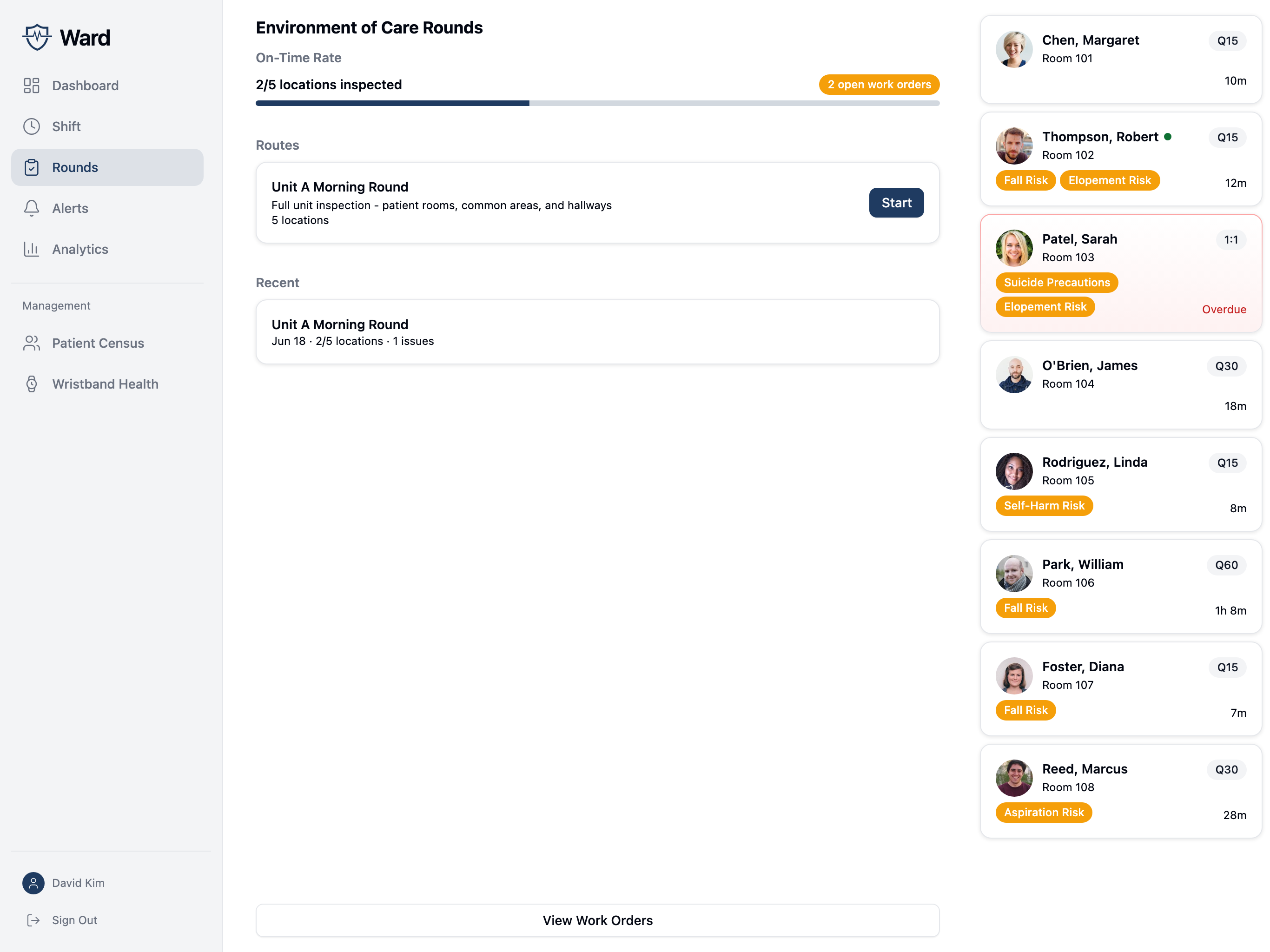
- Navigate to Rounds tab
- See available routes for your unit
- Tap a route to begin
- Follow locations in order
At Each Location
Scanning
- Tap Scan when you arrive
- Point camera at the QR code
- Wait for confirmation
The QR scan identifies the location and begins the inspection.
Checklist
Complete the inspection checklist:
- Items specific to the location type
- Pass / Fail / N/A for each item
- Add notes for context
Documenting Issues
If you find a problem:
- Tap Report Issue
- Select severity:
- Critical — Immediate fix required
- Standard — Work order generated
- Cosmetic — Low-priority maintenance
- Add description
- Tap Submit
Work Orders
Issues automatically generate work orders:
- Assigned to Facilities Maintenance
- Include description from inspection
- Severity determines priority
- Track resolution status
Work Order Status
| Status | Description |
|---|---|
| Open | Newly created, not started |
| In Progress | Work has begun |
| Resolved | Work complete, needs follow-up verification |
| Verified | Verified complete by management |
Viewing Work Orders
- From Rounds tab, tap Work Orders
- Filter by status
- Tap a work order for details
Follow-Up Verification
Some work orders require follow-up:
- Facilities marks work as resolved
- Work order moves to "Resolved"
- On next round, verify the issue is resolved
- Tap Verify or Reopen
Routes
Routes define inspection paths:
- Ordered list of locations
- Specific to unit or area
- Can have frequency requirements (per shift, daily, weekly)
Route On-Time Rate
The Rounds tab shows:
- Routes due today
- Completed rounds
- Overdue routes
Location Types
Common inspection location types:
| Type | Example Items |
|---|---|
| Patient room | Bed rails, call light, bathroom safety |
| Bathroom | Grab bars, cleanliness, supplies |
| Common area | Furniture condition, cleanliness, hazards |
| Kitchen | Cleanliness, equipment, food safety |
| Utility room | Organization, hazardous materials, safety equipment |
| Hallway | Obstruction, lighting, flooring |
| Entrance | Signage, access control, alarm function |
QR Code Management
IT administrators manage QR codes:
- Navigate to Management → EOC
- Add new locations with details and location type
- Generate QR codes and copy them for printing
- Organize locations into routes with configurable round frequency